

Learn
Watch or read a short lesson built around a real team problem such as a logo nobody can find, or the five "final" versions of one file. Lessons are available in text and video formats.
Pics.io Academy is free, self-paced learning for anyone who works in Pics.io. Short lessons and hands-on learning show you how a well-run asset library works: how files come in, where they live, how they get described, and how anyone on the team can find them in seconds. These are the practical skills that keep a shared library useful long after launch day. Learn at your own pace: a lesson between meetings, or a whole afternoon if you're on a roll.
Every level follows three key steps to maximize your learning.
Watch or read a short lesson built around a real team problem such as a logo nobody can find, or the five "final" versions of one file. Lessons are available in text and video formats.

Put the lesson to work in the digital asset management simulator – essentially an interactive copy of the Pics.io interface. Upload, tag, filter, make mistakes. Your real library stays untouched.

Answer four quick questions. Get three right and the next level opens. Miss one and you'll see the explanation why.
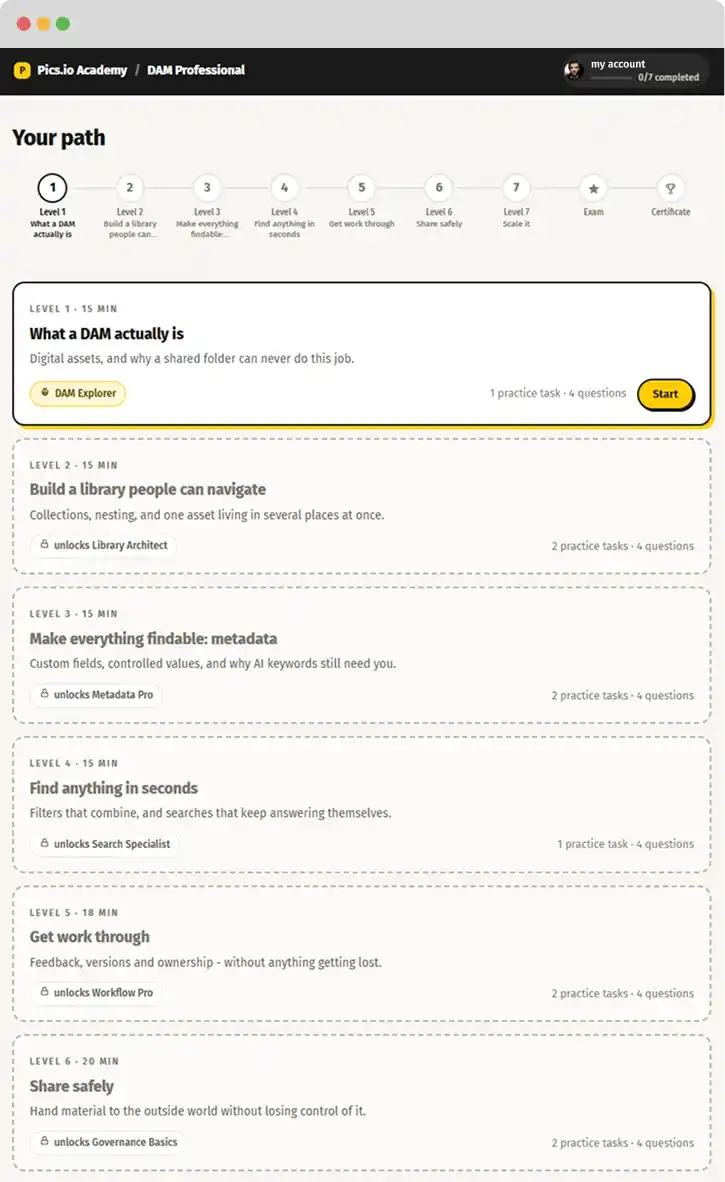
Pics.io Academy is one path of 7 levels, from the basics to running a library at scale.
Each level is a job you'll actually do, not a tour of buttons, so the product skills stick.
Finish one, and the next level unlocks.
Bring files in, and see why a shared folder can't do this job.
Collections, nesting, and one asset in several places at once.
Custom fields, controlled values, and AI keywords that still need you.
Filters that combine, and searches you save once and reuse.
Comments, annotations and versions, with nothing lost along the way.
Hand files to agencies and partners without losing control.
Automate what no longer works by hand, keep the judgment calls

Learn on your own, at your own pace, one level at a time or speedrun it altogether. Best for new teammates and anyone who’s used to “learning by doing”.

A live session with a Pics.io specialist, built around your team, your library and your workflows. Best when you're rolling Pics.io out to a whole team and want everyone up to speed in a day.
Yes. The academy Pics.io built for its users is free for everyone: customers, new teammates, and anyone curious about digital asset management. No trial, no card, no catch.
Yes. Pass Levels 1-4 to claim the DAM Essentials certificate. Finish all 7 levels and the final exam (10 scenario questions and one case study, 80% to pass) to earn the DAM Professional certificate. Each comes with a credential ID, a PDF, a public verification link and a one-click LinkedIn entry, and stays valid for 12 months.
Yes. Pics.io Academy is available to anyone with a Pics.io account. If you don’t have one, you can create an account in just a minute using your email and your name. You’ll also need these details to receive your certificate.
Most levels take around 12-15 minutes. The full path, exam included, comes to roughly 1.5 hours, and you can take it one level at a time.
