Best-price promise: pics.io, 20% below any comparable quote. Through August 31. Book a Demo →
Book a demo
Menu

Search Inside Any Video in Pics.io

Turn long, unstructured videos into searchable knowledge, so your team can find any moment in seconds without manual tagging

  • Analyze hours of video in minutes, not days.
  • Search inside any video by words, scenes, people, brands, or on-screen text.
  • Find the exact moment you need without having to scrub through the whole timeline.
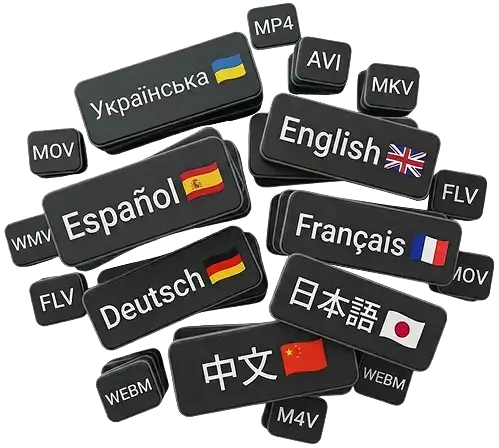
  • Works across many major languages and video formats your teams already use today.

analyze-hours
search-inside
find-the-exact
works-across

Video is your biggest blind spot

comment-wrapper-left
stressWe tried tagging videos manually. We gave up.
One customer had 40,000 video assets and produced 1,500 new ones every month. With AI Video Intelligence, tagging 40 hours of video takes minutes of setup instead of an entire week of manual work.
comment-wrapper-right
shruggingWe know it’s somewhere in our recordings… but where?
Critical decisions, quotes, demos, and user stories are locked inside long Zoom calls and webinars. Nobody has time to rewatch them from start to finish.
comment-wrapper-left
boringLegal and brand teams have to watch everything
Brand managers and lawyers still manually check logos, disclaimers, and competitor brands — a bottleneck for every campaign.
comment-wrapper-left
search-icoWe lose deals because we don’t have ‘AI for video’
Prospects now expect AI-powered video tagging and search as a standard DAM feature. Without it, video archives look outdated and hard to work with.
Pics.io AI Video Intelligence turns every video into rich, searchable metadata — so your team can finally use the content they already have.

Meet Pics.io AI Video Intelligence

An AI layer on top of your video DAM that understands every second of your footage.

understand-in-seconds

Understand in seconds

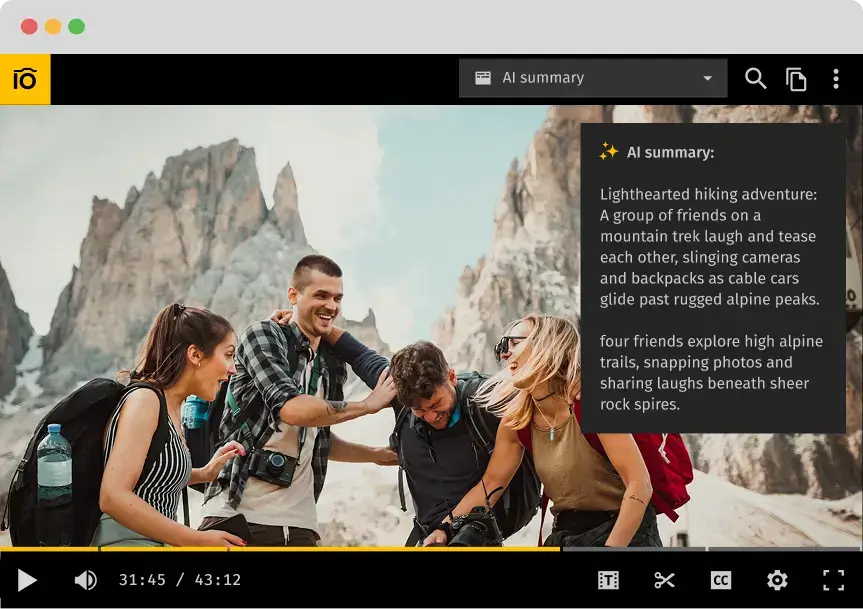
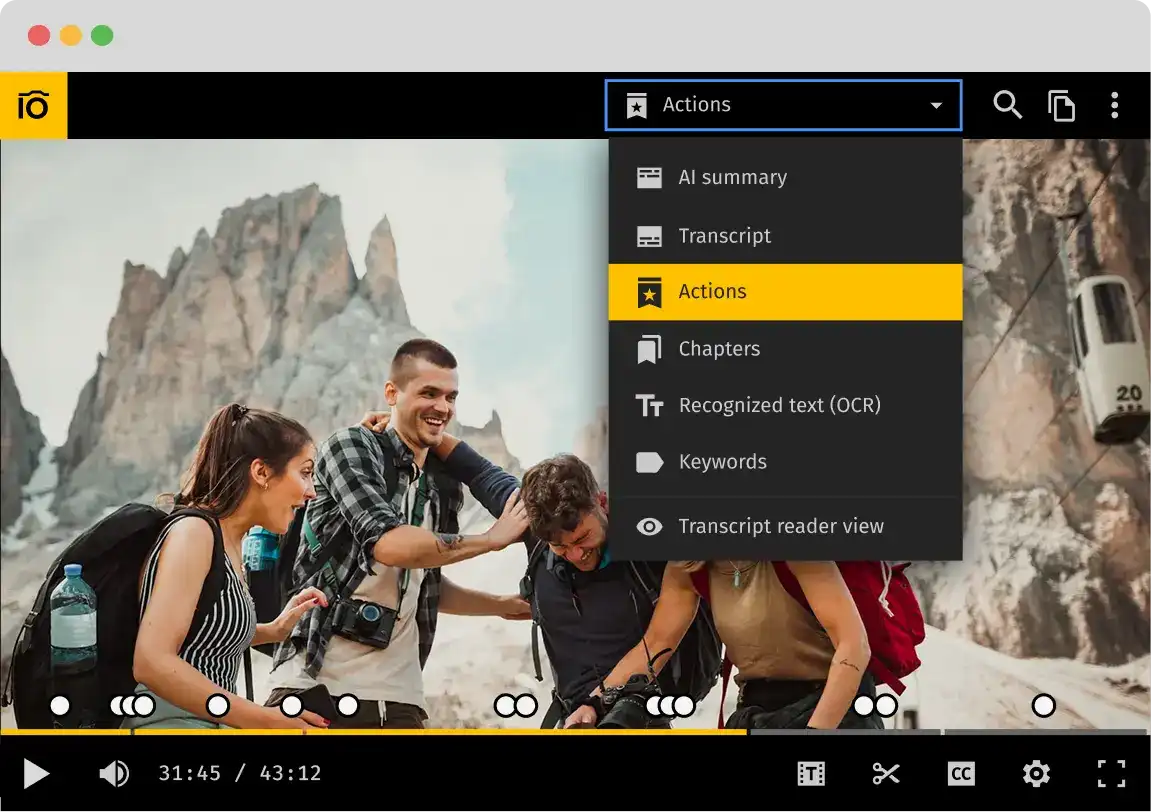
Auto-generated AI summaries and chapters give you an instant overview — so you know whether a video is relevant before you even hit play.

find-the-exact-moment

Find the exact moment

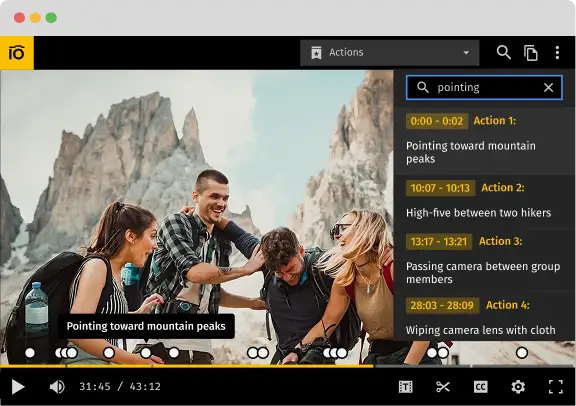
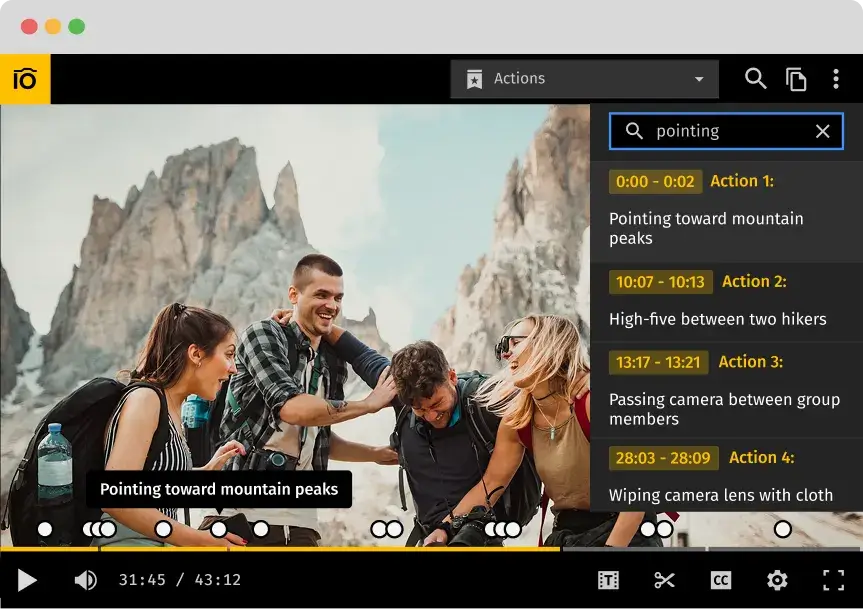
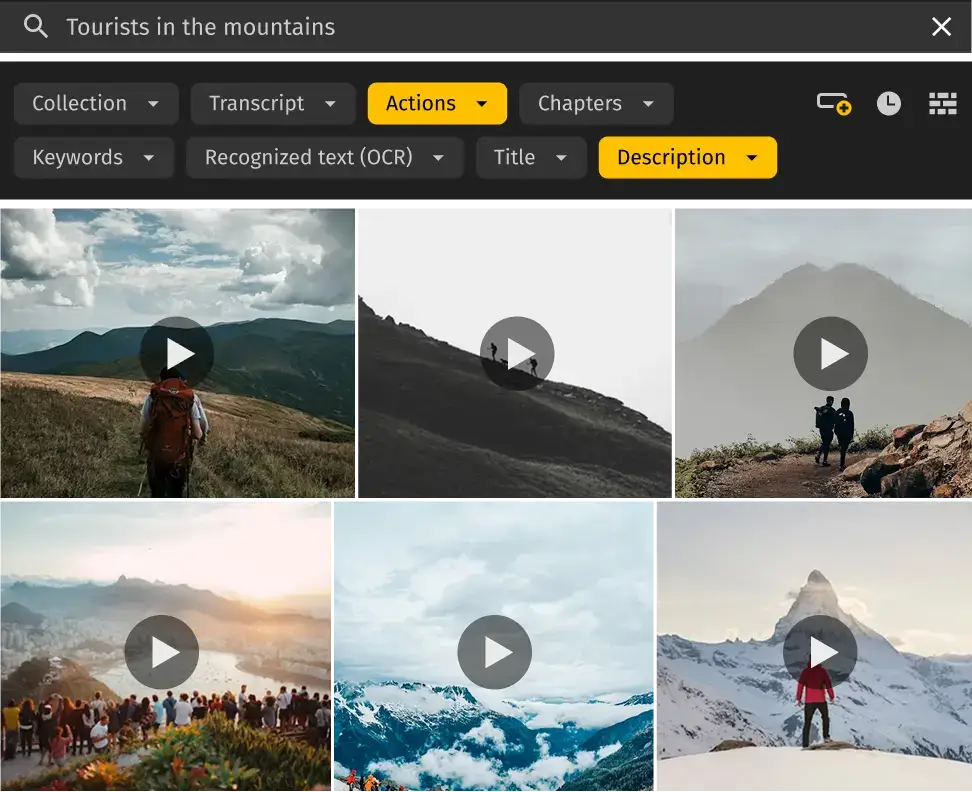
Events, scenes, actions, people, brands, on-screen text, and full transcripts are captured with timestamps. Jump straight to the moment you need — no more endless scrubbing.

search-your-video-library

Search your video library like text

Use a single search box to look across titles, descriptions, AI tags, OCR, and transcripts.

Type what you remember — a phrase, a topic, a brand — and AI finds all matching videos.

If you already use Pics.io’s AI Kit for images, Video Intelligence brings the same superpowers to your video library — automatic keywording, descriptions, and rich metadata, now for every frame of your footage.

Built for every team that lives in video

marketing-creative-teams

Marketing & creative teams

Turn long webinars into a library of ready-to-use content.

  • Find key quotes, demos, and customer stories across all recordings.
  • Auto-generate chapters and summaries to brief agencies or freelancers faster.
  • Turn one webinar into dozens of clips and social assets — without rewatching the full recording.
media-production-teams

Media & production teams

Locate the perfect shot in massive archives.

  • Search by objects, scenes, or entities (e.g., “people in red jackets”, “factory floor”, “conference booth”)
  • Combine AI tags with collections and custom fields for precision search.
  • Save hours on logging and rough cuts when working through large volumes of B-roll and interviews.
education-training

Education & training

Make training sessions and lectures instantly searchable.

  • Use transcripts and OCR to search slides, screens, and spoken content simultaneously.
  • Turn internal training sessions into a living, searchable knowledge base.
  • Quickly resurface examples, explanations, and Q&A without watching full sessions.
corporate-legal-brand-compliance

Corporate, legal & brand compliance

Review logos, disclaimers, and brand mentions in minutes — not days.

  • Detect brands, products, and sensitive entities across all footage.
  • Search for terms in on-screen text or transcripts (“disclaimer”, “terms”, competitor names).
  • Reduce the review workload while keeping every asset on-brand and fully compliant.

Understand

AI summaries & chapters

Get the gist before you press play. AI generates readable summaries for each video — short or detailed, depending on your settings. They’re saved directly into Pics.io, so anyone can quickly understand what the video contains.

Navigate

Key moments with timestamps

Jump to the right scene instantly. Long recordings are broken into chapters and key events with clear titles and timestamps — like “Product demo”, “Customer story”, or “Q&A”.

Search

Search by what you see and what you hear:

  • Global AI tags for topics and themes (e.g., “SaaS”, “analytics”, “Q4 results”).
  • Entities: people, brands, locations, objects — all timestamped.
  • OCR for slides, screens, banners, UIs.
  • Full transcript with speaker-level search and filtering.

All of this becomes structured metadata — searchable through the standard Pics.io interface.

Control

Human-friendly, editable metadata

AI does the heavy lifting. You stay in control. Every AI-generated field is editable. Refine summaries, add custom terms, adjust tags — AI gets you 80% there, humans only need to polish what matters.

How it works

  • Connect your video library

    Use the same storage and folder structure — Google Drive, Amazon S3, or any integrated source.

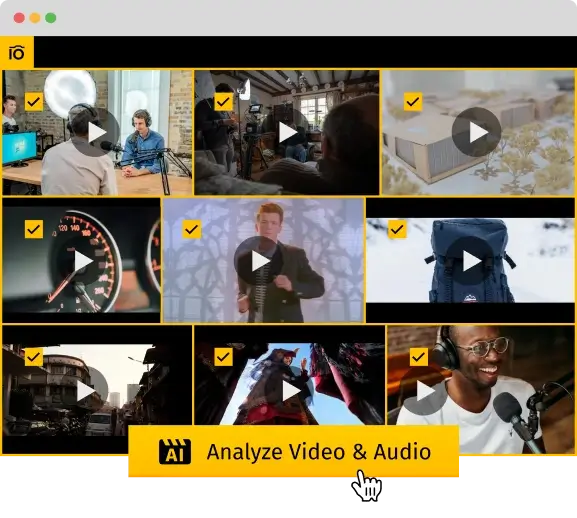
  • Run AI analysis on selected videos

    ick individual files, collections, or folders. Pics.io processes them with AI and writes structured metadata back to your DAM.

  • Search, skim, and share

    Search across AI tags, chapters, OCR, entities, and transcripts. Share links, collections, or specific moments with your team.

Frequently Asked Questions (FAQ)

What exactly does Video Intelligence analyze?

Pics.io AI analyzes the entire video, not just the thumbnail. It picks up spoken words (and turns them into a transcript), recognizes scenes, objects, people, brands, events, actions, and even on-screen text (OCR). On top of that, it creates short summaries and chapters with timestamps, so you can quickly jump to the part you actually need.

Do I need to tag videos manually?

Not unless you want to. AI automatically handles transcripts, tags, entities, and chapters. Manual tags are there for your own business context — projects, campaigns, internal labels, versions, and so on. In practice, most teams combine both: use AI metadata to find the right clip, then narrow it down with your own custom fields.

Does it work with large video libraries?

Yes. Video Intelligence was built with big libraries in mind. It works with assets stored in Google Drive, Amazon S3, or your own storage. Videos are processed in the background, and all metadata goes straight into your Pics.io DAM — no extra copying or moving files around.

Does it support multiple languages?

Yes, transcription, OCR, and tagging support a wide range of major languages. If you work with multilingual content, the AI processes each recording in its original language and generates metadata to match, so you don’t have to standardize everything first.

Will users see only the videos they have permission for?

Exactly. Video Intelligence follows the same permission rules you already use in Pics.io. People can only search and see metadata for videos they’re allowed to access. There’s no need to re-upload anything or create duplicate libraries — your assets stay where they are, with the same access levels.

Can I search inside transcripts and on-screen text?

Yes. You can search across transcripts, OCR, AI tags, brands, people, and events in one go. Type a phrase, topic, name, or keyword, and jump straight to the exact moment in the video where it appears.

Which plans include Video Intelligence?

Video Intelligence is included in the AI Kit add-on, together with our AI tools for images. Higher tiers simply raise your processing limits and are better suited for very large libraries. For exact limits and pricing, check the pricing page.

Can we access Video Intelligence results via API?

Yes. If your platform or marketplace handles a lot of user-generated video, you can call Video Intelligence via API. Your system can trigger analysis, then reuse the generated tags, entities, and transcripts in your own UI, search, or recommendations.
Ready to analyze hours of video in minutes?

Stop scrubbing through timelines. Instantly search for words, people, brands, or scenes across your entire library.

Schedule a demo with a product expert to see Pics.io in action.

Or start your free 7-day trial – no credit card required

Schedule your free live demo

Get personalized 1:1 demo with our product expert

By submitting this form, I agree to Pics.io Terms of Service and Privacy Policy and will receive communications from Pics.io